Unlocking the Pixel 11’s Premium Feature on My Pixel 8a: Here’s My Experience

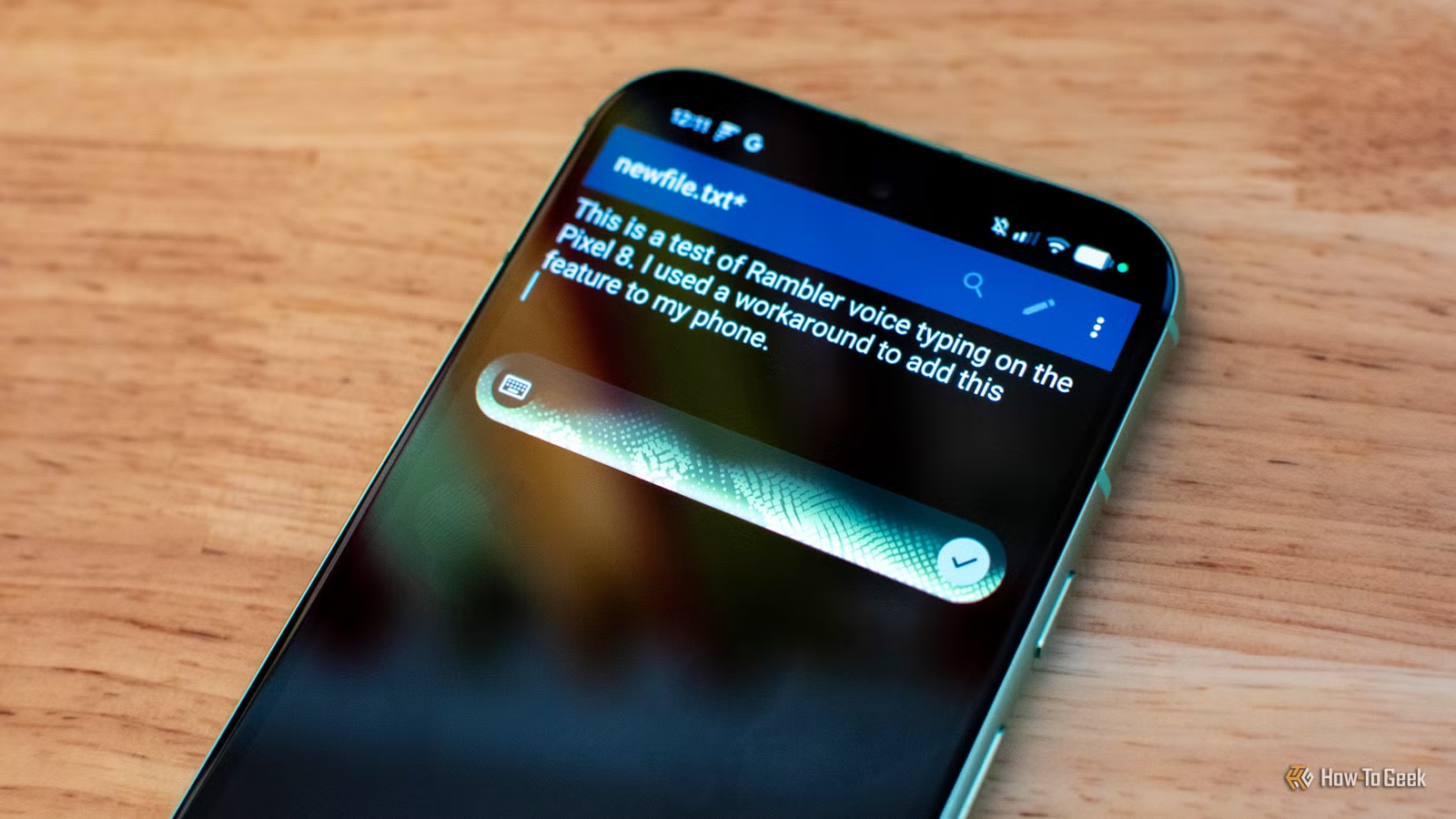
Among the various features introduced with the Pixel 11, Rambler voice typing stands out as the most impactful for users, even if they don’t notice its presence. But is a new device necessary to access Rambler? To find out, I installed it on my Pixel 8a, and the results were surprisingly impressive.
Using a modified version of Gboard violates Google’s terms of service. My actions are solely for journalistic exploration. If you’re eager for advanced voice-to-text options and can’t access Rambler legitimately, consider alternatives like Wispr Flow instead.
What is Rambler?
An Advanced Voice-to-Text Tool Integrated into Gboard
Google’s default voice typing feature often falls short, misinterpreting words, mishandling punctuation, or ceasing to function mid-dialogue. The challenges arise primarily from the discrepancies between spoken and written language. Casual speech incorporates grammatical shortcuts that don’t easily translate into written text, filled with hesitations and self-corrections.
Rambler addresses these issues by analyzing speech through a combination of on-device and cloud-based AI. Instead of presenting a jumbled transcription, it refines every spoken word, correcting oddities and thoughtfully adding punctuation while maintaining the intended tone.
Additionally, Rambler allows for more precise modifications. Users can simply command it to “make this sound more professional” or “shorten and casualize this.” It even supports specific word replacements, emoji insertions, or adding sentences to your dictated text.
Rambler is exclusive to the Pixel 11 (and the Googlebook, which isn’t the focus here) and replaces the standard voice dictation feature in the top-right corner of the Gboard virtual keyboard. Users must consent to use it, but switching from standard voice typing to Rambler is a smooth transition. You continue to type vocally as usual, but the experience is enhanced.
A notable quirk of Rambler is its lack of real-time transcription; words don’t appear on-screen until you finish speaking. The only indicator that Rambler is active is a glowing animation atop the keyboard, which can be minimized into a floating window, useful for dictating longer texts in certain applications.
This might confuse users accustomed to seeing their speech transcribed in real-time. However, the absence of immediate visual feedback can actually reduce distraction, allowing for a more natural speaking flow.
How I Installed Rambler on My Pixel 8a
It Functions Flawlessly
Having tested Rambler on the ASUS Googlebook 14 and being impressed, I sought to install it on my Android device. I was surprised to discover various modified Gboard versions that enable Rambler functionality on older smartphones, even without Pixel branding. I opted for the PixelBoard keyboard, though Gboardwu is another popular choice.
These modified Gboard versions provide extensive customization options and can operate alongside the standard version without requiring root access. Downloading and installing PixelBoard on my Pixel 8a took just two minutes.
To my amazement, Rambler was functional immediately without needing to activate it in PixelBoard’s settings. The performance was nearly as rapid as it had been on the Googlebook.
Even more surprising was its ability to operate offline. I had assumed Rambler was heavily reliant on cloud connectivity. Features for revising and rewriting speech also worked offline, albeit with reduced efficiency. Personally, I’m indifferent about having AI reshaping my words, but I can see how it might be beneficial to those learning a new language or seeking a specific tone in their communications.
Caution Advised
Risks of Using Modified Gboard Versions
There are significant concerns regarding my usage of an unofficial modified Gboard. Firstly, employing such keyboards presents security risks. Keyboard apps can access everything you type and may harbor vulnerabilities that can be exploited. These unofficial versions do not receive updates through Google Play, which leaves users more vulnerable in case of critical security flaws.
Additionally, Rambler’s cloud features utilize AI technology that incurs costs for Google. By utilizing a modified Gboard, I am not only violating Google’s terms of service but also consuming resources that I shouldn’t have access to. It raises ethical concerns.
Therefore, I cannot recommend this approach to others. It’s better to use legitimate tools like Wispr Flow or other authorized AI-enhanced voice-to-text solutions.
Broader Access to Rambler
I’m puzzled as to why Rambler is limited to the Pixel 11 and Googlebook. Many individuals benefit from voice-to-text tools, but this feature seems somewhat niche, unlikely to drive significant sales. Perhaps there are justifications for localized AI capabilities, yet since Rambler performs well on older devices, Google should consider extending its availability (as hinted during the May 2026 I/O event).
It might make sense to offer Rambler as part of certain tiers in the Google One subscription for older devices. While I’m uncertain about the best course of action, a broader rollout of this feature should be a priority.