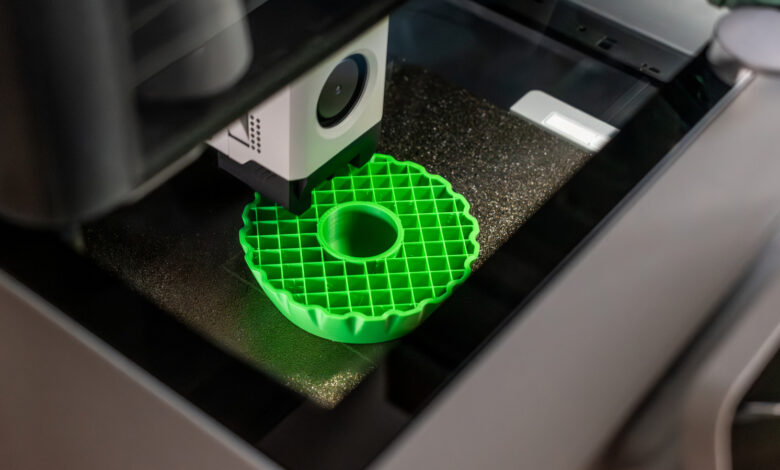
While your 3D prints don’t have to be completely solid, the internal structure remains important.
If you’ve looked inside a 3D-printed object, you might have noticed a network of lines. This structure, known as infill, is usually not made of solid plastic in FDM or FFF 3D printing. Instead, the slicer software constructs an internal framework that helps support the layers above, adding some stability to the final item without requiring an entire spool of filament.
Infill isn’t a feature in every type of 3D printing. For example, resin printers typically produce solid models unless explicitly designed to have hollow sections. However, in filament printers, which are commonly used by beginners, adjusting the infill settings can greatly influence the print duration, material consumption, and overall strength of the finished object.
Infill Density Affects More Than Just Material Volume

The density of the infill is expressed as a percentage. A model with 0 percent infill will be completely hollow, while a higher percentage indicates a denser internal structure. Although a 100 percent infill is possible, it’s generally unnecessary.
Most prints are adequately supported with an infill of about 10 to 15 percent, while some recommend starting at 20 percent for broader applications. These figures are not set in stone, allowing flexibility based on the specific requirements of the print. For decorative items or small test prints, minimal infill may suffice, whereas more robust items like brackets that bear weight benefit from increased support inside.
Often, a model can successfully print with 0 percent infill if it features a sealed base that gradually closes off towards the top. However, for wide, flat surfaces, lacking internal support can lead to sagging while printing. Always review your slicer’s layer preview to catch potential issues before they manifest in a lengthy print.
Higher infill levels will increase material use, weight, and print time. While greater infill can enhance compression resistance, it’s important to remember that strength is influenced by factors like wall thickness, print orientation, and the choice of material. Sometimes, increasing perimeter thickness may more effectively boost strength than merely increasing infill density.
The Importance of Infill Patterns

The type of infill pattern also plays a crucial role, as the density determines how much plastic is used and what shape it takes.
Different slicers offer various patterns, and no single one is perfect for every print. For example, a grid pattern offers a straightforward structure, while a cubic pattern allows for strength from multiple directions. The gyroid pattern replaces linear shapes with continuous curves, useful for functional parts requiring balanced strength, although it gives a unique appearance to the print.
Lightning infill, on the other hand, takes a more selective approach, mainly providing support where necessary, which can save on both filament and print time but may compromise overall internal strength.
For those new to 3D printing, it’s best to start with the default pattern and a moderate density. Experiment with different settings only when the nature of the object demands a change. A display model, an electronics enclosure, and a weight-bearing bracket serve distinct purposes, and using the same infill for all is not practical. According to some experts, exceeding 30 percent infill is rarely necessary for standard models.