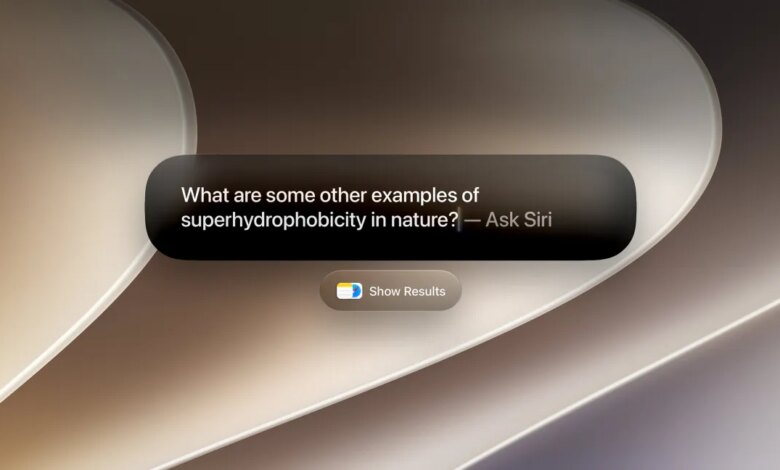
macOS 27 Golden Gate introduces significant enhancements, notably with the upgraded Siri AI and a refreshed design that streamlines windows and icons for improved consistency. Siri now mirrors the capabilities found in iOS 27 but with the added benefit of working within the unique context of the Mac environment.
In recent years, applications and web browsers have honed their understanding of user preferences and tasks to provide AI assistants that can respond more accurately to queries. Most leading web browsers, aside from Safari, now include AI assistants that use a sidebar to analyze active tabs and offer relevant answers. Applications like Highlight, Caddy, and Littlebird can process information from your current view to enhance their responses.
The enhanced Siri functions similarly, enabling users to invoke it from anywhere on the screen to answer queries based on visible content, summarize data, or furnish additional details. For instance, when looking at a product, users can request Siri to display alternative options.
Siri can also focus on specific sections of a page using Apple’s new Visual Intelligence features. Users can activate this by pressing Command + Shift + Space to add the currently active window to the AI’s context.
For precise selections, users can hit Command + Shift + 6 to generate a crosshair selection tool. Then they can ask questions or conduct image searches based on their chosen area, with handy shortcuts like “Select,” “Add to Contact,” and “Look up Location” popping up accordingly.
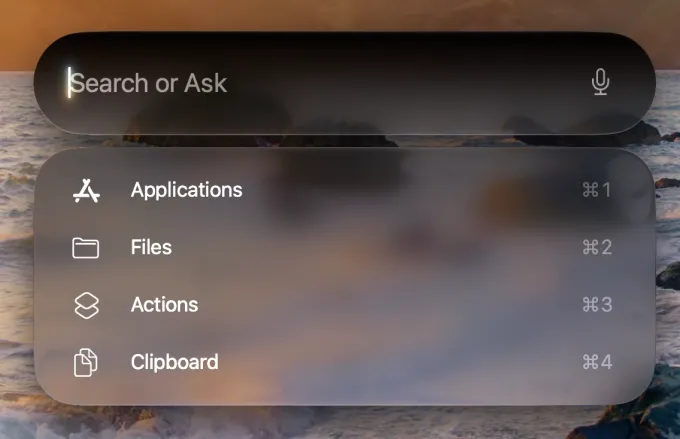
Apple has also revamped Spotlight Search on the Mac. Users can now query Siri directly within Spotlight for web information, with options to search specifically within Applications, Files, Actions, and Clipboard. Moreover, Spotlight now supports executing Shortcuts or reviewing recent searches.
With access to files, emails, and messages, Siri’s search capabilities have expanded. Users can now retrieve membership IDs, inquire about upcoming trips, or check embargo dates for stories without manually opening files. While it may not match the functionality of specialized productivity tools like Raycast, Spotlight is certainly improved.
Siri’s new capabilities also extend to document review and writing tasks. Users can leverage Siri on the desktop for text-based tasks more effectively than on mobile, asking it to proofread, enhance, or compose text within any active text field.
Safari has introduced AI-driven page tracking for monitoring elements like price drops, privacy updates, or new blog posts, especially useful for pages lacking RSS feeds. Additionally, it now groups tabs by topic automatically, providing users with enhanced organizational tools.

A small yet innovative feature allows the system to suggest file names based on context when downloading or renaming files in Finder or during document saving.
Besides Siri’s enhancements, macOS 27 Golden Gate brings notable design updates, including new Liquid Glass icons, an adjustable slider for Liquid Glass effects, and improved methods for managing content when moving windows.
The operating system now features more visually consistent window corner radii, edge-to-edge sidebars adorned with colorful icons, and clearer highlighting of active windows.
Additional features in this update include improved child safety settings, cross-platform shared photo albums, an updated eraser tool, enhanced email search functionality, adjustments for app resizing during iPhone mirroring, and streamlined suggestions for event additions in calendars.
Starting today, macOS 27 Golden Gate is accessible for MacBook Air and MacBook Pro models from 2020 onwards with Apple Silicon, iMacs from 2021 onwards with Apple Silicon, Mac Mini from 2020, Mac Studio from 2022, Mac Pro from 2023, and MacBook Neo. Users can check for the most recent update by navigating to System Settings > General > Software Update.