
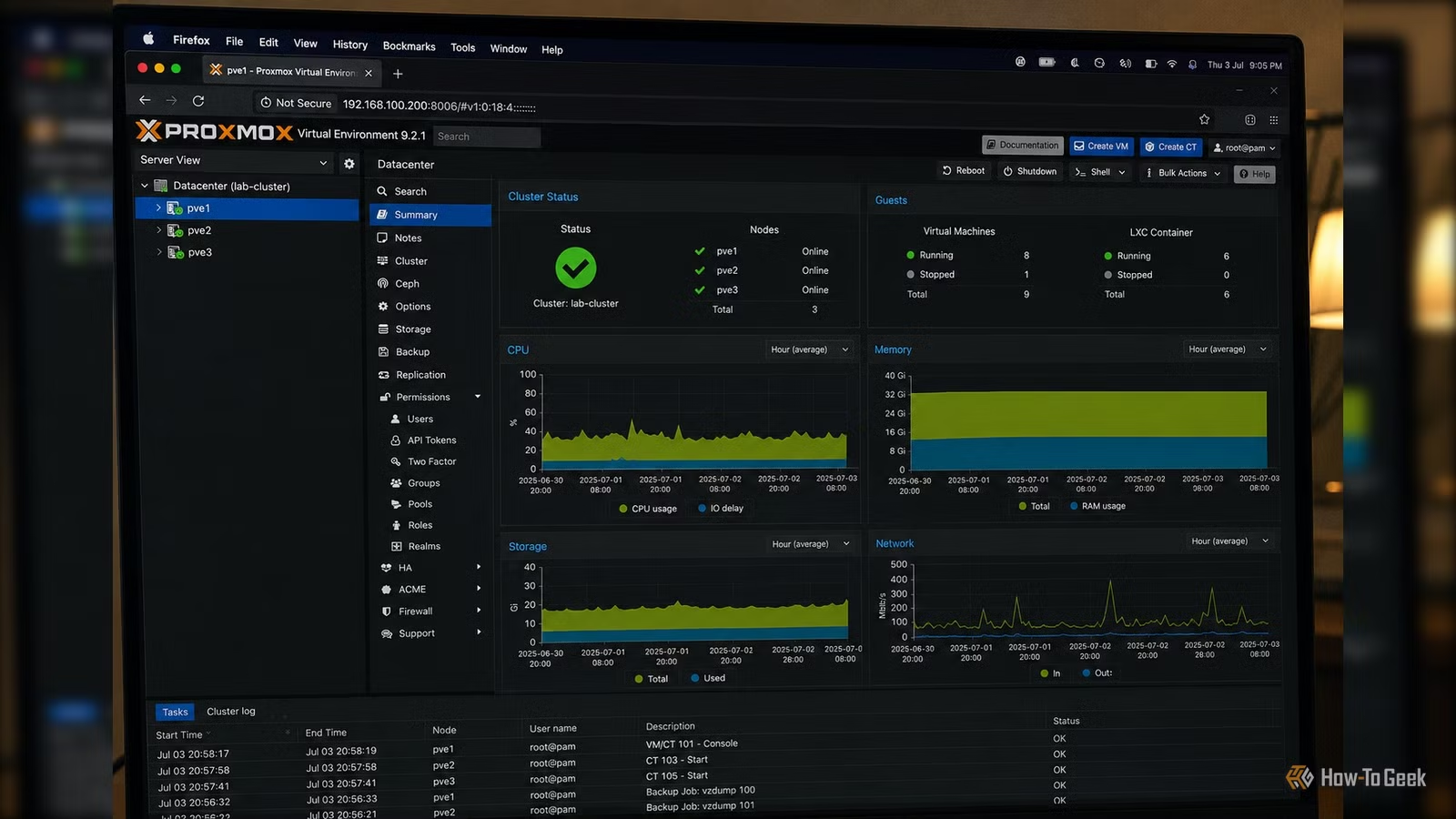
Proxmox VE has established itself as a leading platform for bringing advanced virtualization capabilities to home labs. It offers features such as KVM virtual machines, LXC containers, snapshots, clustering, and compatibility with filesystems like ZFS. It appears to be the ideal solution for any self-hosted environment.
However, many home labs typically begin with a single mini PC, an older workstation, or a spare desktop (often that Dell OptiPlex salvaged from the work e-waste). These setups often run a few services like Jellyfin, Home Assistant, Pi-hole, Immich, or Nextcloud, with hardware handling everything independently. Most of Proxmox’s sophisticated features are geared towards managing numerous systems, rather than enhancing a solitary machine. If you’re operating just one server, you may find yourself investing effort into learning functionalities that may not offer immediate advantages.
The Greatest Benefits Arise with Multiple Nodes
Clustering Reveals Proxmox’s True Potential
The power of Proxmox becomes significantly evident once you integrate a second or additional physical server. Clustering allows several machines to function as a unified virtualization platform, enabling workload management from a single interface.
When shared storage is available, virtual machines can seamlessly transfer between nodes without significant downtime. Maintenance is simplified, as workloads can be redistributed away from a piece of hardware needing service. For instance, if you need to replace RAM, install new drives, or update firmware, you can temporarily shift your services to another machine.
Adding an additional server also paves the way for gradual expansion. Rather than upgrading entire hardware systems, you can simply add another node with varying specifications and distribute workloads based on available CPU, RAM, or storage resources. This is where Proxmox starts to showcase features that are challenging to duplicate with a standard Linux setup.
High Availability Requires More Than Just One Additional Machine
A Single Server Cannot Self-Protect
High availability is one of Proxmox’s standout features, but it necessitates thoughtful infrastructure planning. If your sole server encounters a power failure, motherboard failure, or storage issues, all virtual machines and containers cease operation. The management interface also becomes inaccessible since it resides on the same hardware—leading to the ironic situation where the component needing fixing is the one that has failed.
With a minimum of two nodes, Proxmox can manage failover, but you must consider Corosync’s fundamental math: a typical two-node cluster cannot maintain a voting majority if one host goes offline. To avoid split-brain scenarios, genuine automated high availability requires a third node or an external QDevice (qnetd) that acts as a lightweight tiebreaker. Without a proper quorum structure or an additional host to catch the fall, high availability remains more of a feature than a functional safety measure.
Shared Storage Becomes Justifiable
The Flexibility of Storage Grows with More Hardware
While a single server using local NVMe drives or a ZFS pool often delivers robust performance and low complexity, the usefulness of shared storage comes into play once more nodes are added. Technologies such as NFS, iSCSI, or automated ZFS dataset replication enable workloads to transfer between servers without the need to copy entire disk images constantly.
Advanced distributed block storage solutions like Ceph require at least three nodes for safe operation, making them impractical for initial multi-node setups.
As the scale of the environment increases, the storage architecture grows more intricate, leading to measurable advantages from the added complexity.
Resource Management Gains Significance
Multiple Hosts Provide the Scheduler with Options
In a single-server environment, the CPU cores, memory, and bandwidth are fixed resources that many virtual machines contend for simultaneously. This dynamic shifts dramatically with an additional node, altering how resources are managed. CPU-heavy applications can reside on one machine, while storage-demanding workloads can occupy another. Development environments can operate separately from production services without necessitating a more powerful single server.
Different hardware can fulfill various functions. A low-power mini PC might host lightweight infrastructure services around the clock, whereas a core-rich workstation handles media transcoding or testing tasks. Instead of continuously upgrading to pricier hardware, you have the flexibility to expand incrementally by introducing another machine as needed.
Backup and Recovery Become More Robust
Separate Hardware Enhances Recovery Strategies
Backups are crucial regardless of the virtualization platform. However, when everything is contained within a single machine, it creates a single point of failure. Proxmox Backup Server operates effectively with one node, but its advantages amplify when the backup infrastructure is on separate hardware. A dedicated backup server remains operational even if the virtualization host fails completely.
Furthermore, with multiple Proxmox nodes, recovery processes see notable improvements. The speed of restoring workloads to another server is greatly enhanced as the appropriate hardware is already in place.
Multiple Machines Transform Homelab Perspectives
Introducing multiple physical servers into your homelab shifts Proxmox from a simple hypervisor to a fully functional virtualization platform. Clustering, workload migration, quorum-driven high availability, shared storage replication, and distributed resource management shift from being theoretical concepts to practical tools you’d utilize regularly.
This doesn’t imply that Proxmox is unsuitable for single-server setups. The distinction lies in the fact that many of Proxmox’s unique capabilities are tailored for collaboration between hosts rather than the optimization of an individual server.




