I Lost Internet for Hours Before Realizing—So I Created an ESP32-Powered Status Light!

The internet is a remarkable resource, and we often take it for granted. It’s only when we lose access that we realize the extent of its value. After my internet connection went down recently, I realized it took me quite some time to notice the absence. As a result, I decided to create a small device that would signal the internet’s status for me.
Experiencing an Internet Outage
Smart Home and Devices Continued to Function
Credit: Author
Recently, my Internet Service Provider offered me a deal that included a complimentary Wi-Fi 7 router. Typically, I prefer not to use ISP-provided equipment, but the deal gave me faster speeds for a lower price than my current plan.
Unfortunately, I quickly regretted my choice. A firmware update for the router rendered it nonfunctional, disconnecting my internet. It took me about an hour to notice the outage after waking up.
Since my smart home setup is managed through Home Assistant and operates locally, most of my automations continued to function without internet access. I didn’t realize the issue when checking my phone, which automatically switched to cellular data.
Once I finally became aware of the problem, I spent several hours troubleshooting. This experience made me determined to ensure I wouldn’t miss another outage in the future.
Seeking a Reliable Internet Indicator
Home Assistant Notifications Were Not Sufficient
I wanted to develop a straightforward method to visually indicate when my internet connection was functioning and to alert me promptly when it was down. While I could have leveraged Home Assistant to create some automation with my Zigbee lights, I preferred a dedicated tool for this purpose.
I envisioned a solution that would be always operational, allowing me to simply glance at it whenever I suspected the internet might be down. Using a light bulb wasn’t an optimal choice, so I decided to construct a specific internet monitoring device instead.
The Solution: An ESP32 Board
Essential Features Included
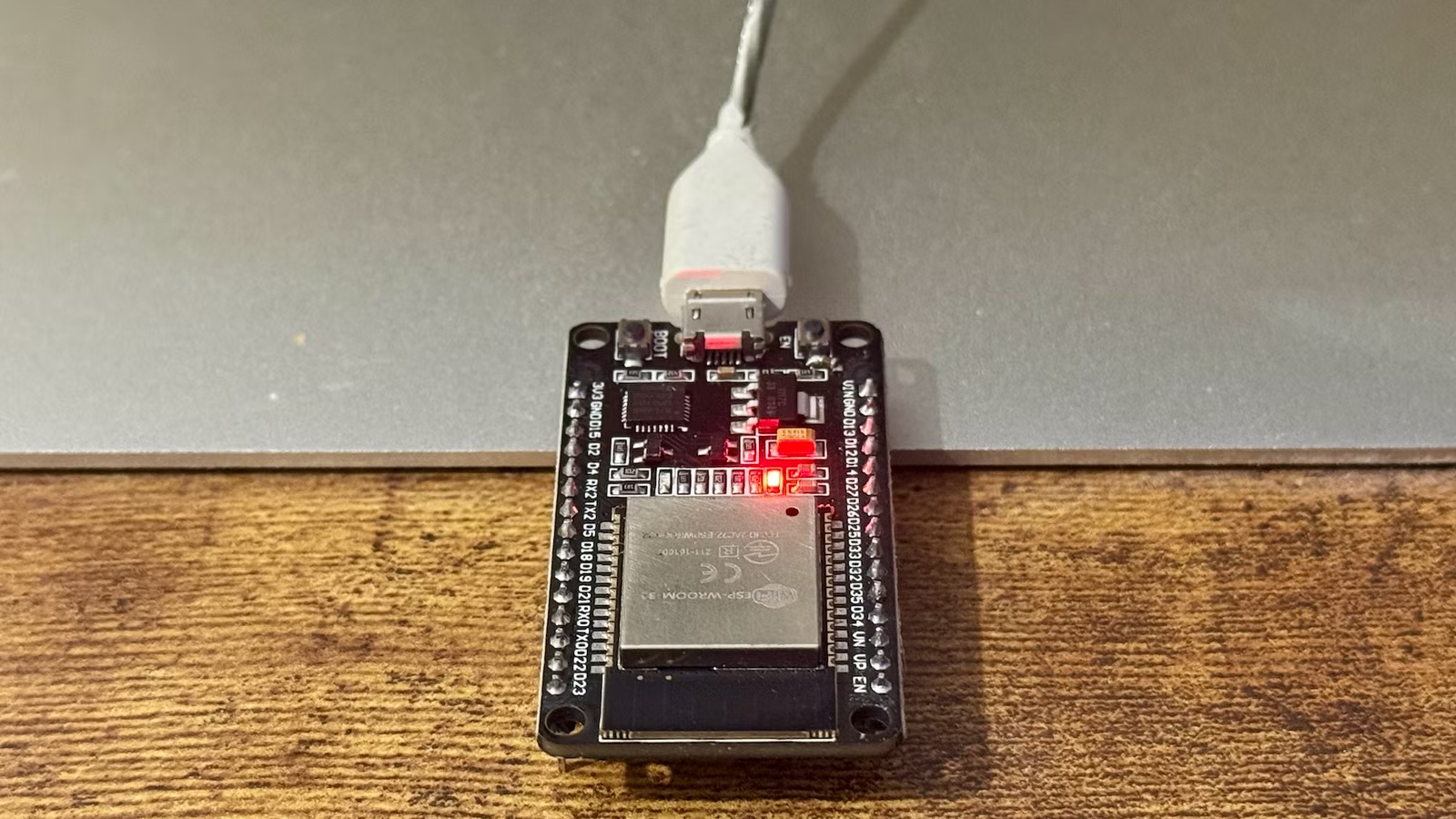
If you’re looking to build something, an ESP32 board is usually a reliable option. This affordable device is equipped with Wi-Fi capabilities and has an LED that can indicate different statuses.
Using ESPHome, I created a simple YAML configuration. Every ten seconds, the ESP32 checks its connection to the router. If it can’t connect, the onboard LED blinks quickly to signal that Wi-Fi is down.
If the ESP32 successfully connects to the router, it sends a small HTTP request to a reliable internet endpoint. If it receives a response, the LED remains solid, indicating that internet access is available. Conversely, if there’s no response, the LED blinks slowly, signaling that while Wi-Fi is operational, internet access is not.
A Simple Yet Effective Internet Status Light
Flashing Lights Are Hard to Miss
Credit: Author
Since implementing my internet status light, my home network and internet connection have remained stable, leading to the LED consistently showing red. I conducted some tests beforehand by temporarily disconnecting Wi-Fi and blocking specific domains to simulate a downtime scenario.
The blinking light catches my attention easily as I have placed the ESP32 on my desk, where I spend most of my time. The primary advantage is the ability to quickly check my internet status: if I have any issues connecting to Home Assistant, I can instantly glance at the LED to see if it’s solid, reassuring me that the network is functioning properly. This instant verification has proven quite gratifying.
Versatile Applications of an ESP32
Even in the absence of connecting an ESP32 to other hardware, it stands out as a valuable tool. I have multiple units at home storing data for room tracking. For the purpose of my simple internet status light, it was entirely adequate, and I assembled it in less than ten minutes.




