Home Assistant stands out for its ability to integrate a diverse range of devices, add-ons, and external services, many of which go beyond traditional smart home applications.
Here are some of my top recommendations for innovative uses.
Some of the functionalities mentioned require Home Assistant applications, which are containerized software pieces. These features may not function if you’re running Home Assistant through container management systems like Docker.
Share Media with Home Assistant
Plex and Jellyfin are excellent media server options that work seamlessly with Home Assistant. You can automate actions, such as initiating scenes when a movie starts or controlling playback directly from your dashboard. Additionally, Home Assistant can facilitate hosting your server.
For Plex, check the Home Assistant apps repository to find the relevant application. To access the Jellyfin alternative, you’ll need to add its repository to your Home Assistant setup. After doing this, you’ll be able to share media from your Home Assistant server and any connected storage devices with your network or remotely if configured correctly.
Set Up a VPN for Your Network
Access Your Self-Hosted Services
If you’re looking to access your Home Assistant setup remotely without subscribing to Home Assistant Cloud, establishing a VPN is a practical alternative. Various options are available, most of which can be found in the apps section of Home Assistant.
This VPN will support your entire network, allowing you to access other self-hosted services like Plex without exposing your server to external threats. User-friendly options like Tailscale and ZeroTier One offer free plans suitable for home use. For a more hands-on setup that avoids reliance on third-party servers, consider using WireGuard.
Transform Connected Disks into a NAS
Use Home Assistant as a File Server
While a dedicated NAS remains the best choice for file sharing on your local network, your Home Assistant server can also serve this purpose. The Simple NAS application is highly recommended for this, and you can get started by adding its repository within the Home Assistant app menu.
Simple NAS utilizes Windows SMB (Samba) for file sharing and offers a web interface for managing shares, detecting drives, and organizing user groups. It supports multiple file systems, including EXT4, NTFS, exFAT, and FAT32. Alternatively, you could try out the experimental SambaNAS 2.
Extract and Monitor Data from Websites
Track Any Data on Your Dashboard
Multiscrape is a robust integration that enables you to extract data from web pages for display on your Home Assistant dashboard. This can be exceptionally helpful for tracking information from websites you frequently visit.
Accessible through the Home Assistant Community Store, setting up Multiscrape involves selecting what data you want to monitor and defining a scraping interval. You can also place cards on your dashboard for easy access and can even configure notifications or link them with other automations. Examples of what you might track include price changes, availability of items, school closures, job openings, software updates, and trending news topics.
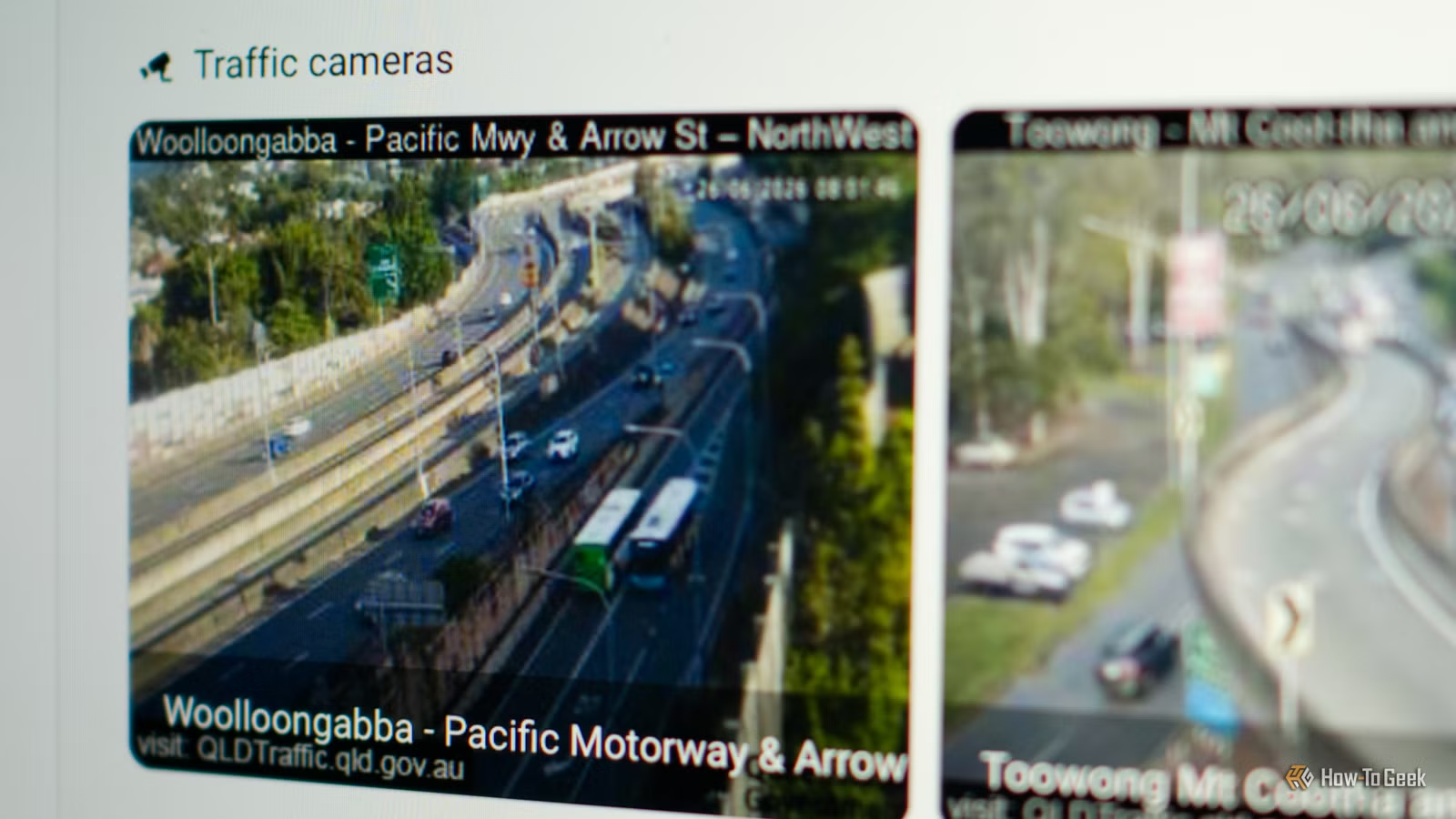
Show Traffic Cameras and Weather Radars
Create a Dashboard for Traffic or Weather Information
Many traffic cameras and weather radar images are still images that update sporadically, which can be utilized through the Generic Camera integration. By providing a link to a still image as the source, you can incorporate this into your setup.
The challenge usually lies in obtaining the correct link, which typically looks like this: “/Camera-name.jpg?uniqueID.” Removing the unique ID portion from the link will allow it to work seamlessly.
Monitor Local Public Transport
Stay Updated on Transport Schedules
Recently, I integrated public transport data into my Home Assistant, enhancing my daily commute experience. In addition to displaying information for the next train and ferry, I plan to set up a dedicated display using an ESP32 and ESPHome.
You can also create aliases for entities, which can be exposed to your Home Assistant voice assistant, allowing for voice inquiries about upcoming transport services.
Chore Tracking for Kids
Encourage Accountability and Motivation
A colleague of mine developed a chore tracker using Home Assistant, relying on the KidsChores HACS integration and a tablet for the dashboard. This interactive tool streamlines task management, so responsibilities don’t get lost in the shuffle.
Track Mail and Package Deliveries
More Than Just Security Alerts
While package detection is typically a feature of security cameras and video doorbells, Home Assistant has expanded its capabilities to include tracking for major postal services and third-party applications like Amazon. This can enhance your dashboard experience, making it easier to keep tabs on deliveries and even incorporating automations, such as turning on porch lights when a delivery is imminent.
Many of these options depend on Home Assistant applications, but they merely scratch the surface of what’s available. Be sure to explore additional Home Assistant applications for even more capabilities.