Author Name / Source
Consider your main email address for a moment. Chances are, you’ve held onto the same one for many years. This address is linked to everything important, including financial accounts, social media, tax documents, and healthcare applications.
Yet, the same address often gets used for throwaway sites, reading one-off articles, accessing public Wi-Fi, or making online purchases. While email is our main identifier online, exposing your real email address to numerous databases can pose a significant risk.
While it’s common to protect passwords, your email serves as the key identifier for all your accounts.
In today’s digital landscape, personal data is treated as a commodity, with your primary email often acting as a tracker consolidating that data. Data breaches or aggressive marketing tactics leverage your email, undermining your online security and peace of mind.
In recent years, I revamped my online interactions by implementing an email alias system. By using a custom domain and email aliases, I no longer share my real email address beyond my close circles. This has significantly improved my digital hygiene, and adopting this strategy could help you regain control over your inbox.
Have you ever used or considered an email alias?
0 votes
Eliminating Spam from the Source

Author Name / Source
Conventional spam management is reactive. Email providers use filters to determine if messages are legitimate or spam. While these filters can sometimes effectively weed out unwanted emails, they often mistakenly flag essential confirmation emails as junk or let sophisticated phishing attempts through.
When your main email address gets exposed to spam networks, you are often left continuously playing a losing game, reporting senders and configuring blocking rules that spammers can easily bypass. That is the inherent flaw in traditional spam filtering.
Email aliases transform spam management from a reactive to a proactive strategy.
Email aliases allow you to manage spam more effectively. Every time I sign up for a new service, I utilize a unique email alias for that service. For example, one alias for subscriptions and another for newsletters. If a service sells my data or suffers a breach, I can disable that specific alias in seconds instead of laboriously filtering spam or blocking individual senders.
When you deactivate an alias, any emails sent to that address are automatically dropped at the server level, preventing them from cluttering your inbox or spam folder. Senders receive a notification that the address no longer exists. This proactive approach transforms email management into a defensive strategy.
Identifying Data Leak Origins

Author Name / Source
Most of us have faced a sudden surge of suspicious marketing emails or phishing attempts. One day, your inbox is clean, and the next, you’re bombarded with alerts about compromised deliveries or investment scams you never engaged with.
With a standard setup, it’s impossible to trace the source of this spam. You may be uncertain which of numerous applications or services mishandled your contact information. Using unique aliases removes this uncertainty and introduces accountability to your online activities.
Rather than sorting out unwanted emails, you can simply deactivate the address that leaked.
Moreover, you can deactivate that retailer’s alias, and report the data leak to them.
Limiting Data Leak Impact

Author Name / Source
Corporate data breaches can have far-reaching consequences. When a company’s database is compromised, attackers often harvest leaked email addresses and passwords for credential stuffing attacks.
Automated systems use leaked credentials to try logging into various popular sites, including banking platforms and retail sites. If you reuse passwords, a single breach could cause a chain reaction that compromises your entire online presence. Even with unique passwords, a single email address shared across various accounts gives attackers half the login equation.
Using one email everywhere provides attackers access to half of your login information.
By employing distinct aliases for your online accounts, you significantly reduce the potential impact of any security incident. If a fashion site is hacked, only the specific alias you created for that site is at risk.
This email address isn’t linked to your banking, social media, or primary accounts, rendering the stolen data almost worthless for exploitation. Attackers cannot use that email to access other sites since it is unique to that store.
This procedural separation establishes a digital firewall around your personal information. High-security accounts remain hidden from lower-security platforms, preserving the integrity of your financial and legal identity.
You ensure that a breach at a less secure retailer doesn’t risk your essential digital identities.
Minimizing Advertising Profiling Impact

Author Name / Source
Modern advertising heavily relies on identity resolution, which links consumer behaviors across various platforms and locations to create comprehensive profiles.
As browsers improve in blocking third-party tracking cookies, advertisers have increasingly used persistent identifiers like your primary email address. When you log into a mobile app, shop in-store, or enroll in a loyalty program, your email gets added to a central database maintained by data brokers.
Your email address acts as the internet’s most enduring tracking mechanism.
Data brokers link various aspects of your life using your email address. They can create an invasive profile that combines information from health forums, grocery purchases, and location data from weather apps, which is leveraged for targeted advertising.
Using unique email aliases for each interaction hinders this tracking mechanism. When data brokers attempt to connect information from different services, the email addresses won’t match.
This disconnect makes you appear as multiple unrelated users, ultimately disrupting the advertising profiling system and the data loop necessary for its efficiency, thereby restoring your anonymity while still allowing you to enjoy modern conveniences.
Separating Personal and Professional Communication

Author Name / Source
Having a single inbox may seem efficient, but important communications can easily get buried under irrelevant notifications, confirmations, and promotional emails.
Many people try to manage this by establishing complicated folders or filtering rules, but these often require constant upkeep and can easily break if a company changes their email practices.
The simplest way to combat email overload is by preventing unrelated conversations from mixing in the first place.
Achieving true separation can be efficiently done at the routing level by utilizing email aliases. By organizing your aliases into categories, you control the information flow before it reaches your inbox. Promotional emails can go to a designated secondary inbox while critical messages bypass filters to your primary view.
This structural segregation simplifies email management and helps reduce the mental strain caused by interruptions during personal time, keeping your primary inbox clean and efficient.
Getting Started with Email Aliases

Author Name / Source
Switching to an email alias system may seem daunting, but modern privacy tools have simplified the process. You don’t need technical skills or a personal mail server to establish a secure alias system.
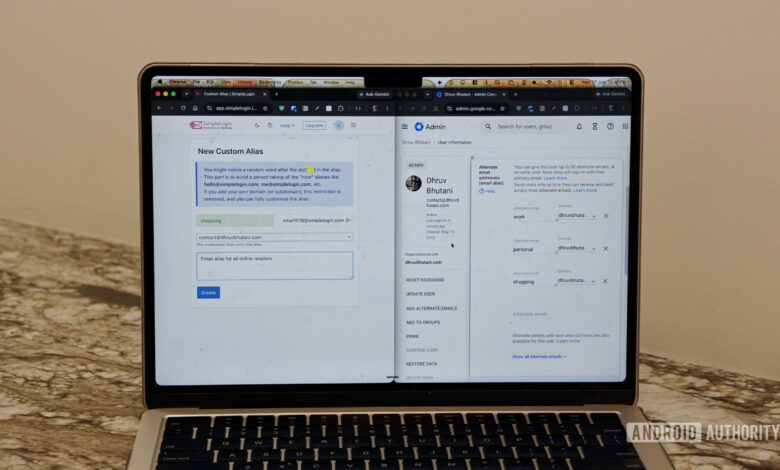
A simple way to start is to purchase an inexpensive domain and link it to an email masking service. If you use Google Workspace, you can create up to 30 aliases for free.
Different providers like Proton Mail and Apple offer integrated alias features in their premium plans, enabling quick generation of random addresses.
Once you’ve set up your domain or service, start implementing aliases gradually. Simply log into your dashboard, create a new alias with an appropriate label, and you’re good to go. There’s no need to overhaul your existing accounts all at once; create a new alias every time you sign up for a service from now on.
Building an alias system is effortless; it just requires a change in habit.
For your current accounts, focus on updating critical ones first, such as banking and major social networks, over a few days or weeks, leading to a fully segregated setup.
As you phase out your old primary email, you’ll notice a marked reduction in inbox clutter. The next time a data breach occurs, you’ll be relieved that your main email isn’t likely to be affected.
Ultimately, your email should be a private line of communication reserved for trusted contacts, not a ubiquitous tracking identifier scattered across every digital storefront. Taking control of your email structure is a crucial step towards reclaiming your digital autonomy, and today is the perfect time to start.
Thank you for being part of our community. Please adhere to our comment policy when posting.