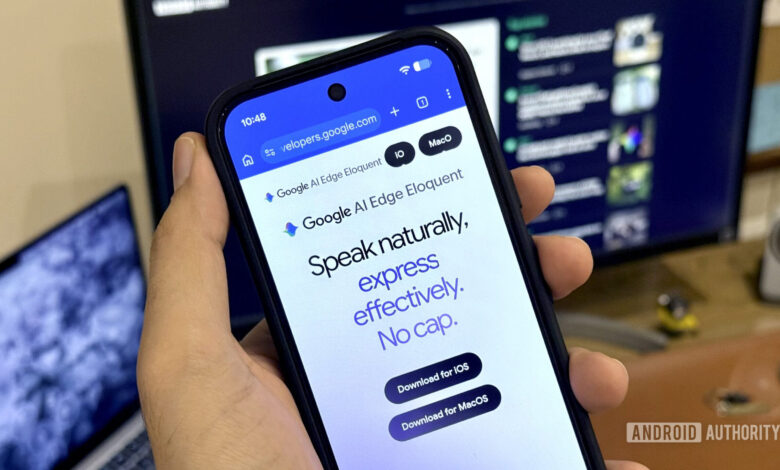
Innovations in large language models have enhanced AI capabilities, including an often-overlooked feature—voice dictation. This functionality is evident in Gboard, which allows users to convert their speech into text while including emoji and punctuation. Personally, I rely on a tool called Wispr Flow on my Mac, which enables me to avoid lengthy typing for texts and emails.
Given Google’s expertise in voice dictation on Android via Gboard, I initially presumed that their desktop tool would far exceed any competitors. However, I was mistaken. Google’s AI Edge Eloquent operates similarly to Wispr Flow, but its performance is subpar, making it largely ineffective for any serious tasks.
What Should You Prioritize in an AI Dictation App?
Understanding Google AI Edge Eloquent
Unlock advanced workflows with Gemma 4 12B and Google AI Edge directly on your laptop. Enjoy 100% on-device AI:
• Generate code in AI Edge Gallery (new for Mac)
• Dictate and edit text via AI Edge Eloquent (new for Mac)
• Utilize Gemma 4 12B locally with LiteRT-LM.
Google AI Edge Eloquent is a voice dictation application designed to function offline, utilizing Gemma—Google’s range of language models designed for on-device use. When installing the software, users download a foundational offline model supporting 2 billion parameters. For laptops with over 16GB of RAM, users can opt for a more powerful 12-billion-parameter model. My testing used the 2-billion-parameter model as my Mac qualifies for this category. Edge Eloquent is currently accessible on both iOS and macOS but notably absent from Android, likely due to the proficiency of Gboard’s dictation capabilities.
Frustrating Aspects
It took me over 15 attempts to get Edge Eloquent to write “frustrating” correctly in the previously stated heading. This illustrates the sort of recurring issues I encounter while using the software.
The software features an automatic polishing tool to refine text before inserting it into a text field. Frequently, this feature alters the original sentence structure, sometimes changing verb tenses, removing words, or rephrasing content to resemble AI-generated text instead of my own style. Turning off this polishing tool, however, results in retaining all the filler words, forcing me to manually edit the output.
“More often than not, it reworks the sentence structure, removing words and converting it into an AI’s version rather than my own.”
In both scenarios, I find myself spending excessive time double-checking the text, correcting errors phrase by phrase. Unfortunately, there is no balance—if there were a way to customize the degree of ‘polishing,’ my experience would likely improve significantly.
Moreover, Edge Eloquent often fails to recognize commands for new lines or em dashes as consistently as Wispr Flow does. The Gemma model also displayed tendencies to hallucinate random phrases, inserting text unrelated to what I had actually said.
Credit Where It’s Due
While the issues can hinder my workflow, they don’t render the tool entirely useless. Speaking clearly and dictating at a slow pace allows me to achieve satisfactory results with Edge Eloquent, even if it demands more editing. Notably, the software does all this processing offline without overwhelming system resources.
I monitored my Mac’s Activity using the Activity Monitor, and observed that Edge Eloquent displayed only brief spikes in CPU, GPU, and RAM usage, which didn’t impede other open applications. I suspect that using the 12-billion-parameter model might result in more substantial resource demands, but currently, the performance appears efficient. Additionally, its free access is an attractive aspect.
“The fact that it operates entirely offline and still performs admirably is quite impressive.”
Since Wispr Flow relies on cloud processing, it has the advantage of better reliability. It experiences fewer structural issues, although it is not without imperfections. It successfully recognizes brand names almost always, unlike Google’s tool. For someone like me, maintaining a faster dictation pace without needing excessive focus on word accuracy is essential during the writing process.
A Desire for the Best of Both Worlds
Despite being a paid service with a constant internet requirement, I would choose Wispr Flow over Google’s Edge Eloquent simply due to its enhanced stability. Losing my creative flow because of frequent editing interruptions is something I cannot afford. Although Edge Eloquent may perform better on more powerful systems, my current setup did not meet my expectations.
That said, I don’t plan to abandon Edge Eloquent entirely. With around 60–70% effectiveness in transcription and text refinement, it remains useful for scenarios where Wispr Flow encounters difficulties. It proves especially beneficial in environments like a train with unreliable connectivity when quick responses are needed. Recent disruptions with Wispr Flow emphasized the advantage of offline models, which are immune to cloud outages.
“The local model’s immunity to cloud outages is a significant advantage.”
Google has indeed carved out a niche for its on-device language models. Its ability to run efficiently without internet access makes it a practical solution. Since it’s completely free, it could be ideally suited for casual use, such as jotting down emails or writing prompts. Nevertheless, for more professional endeavors, Wispr Flow remains the top choice for me, while AI Edge Eloquent serves as my backup option.