
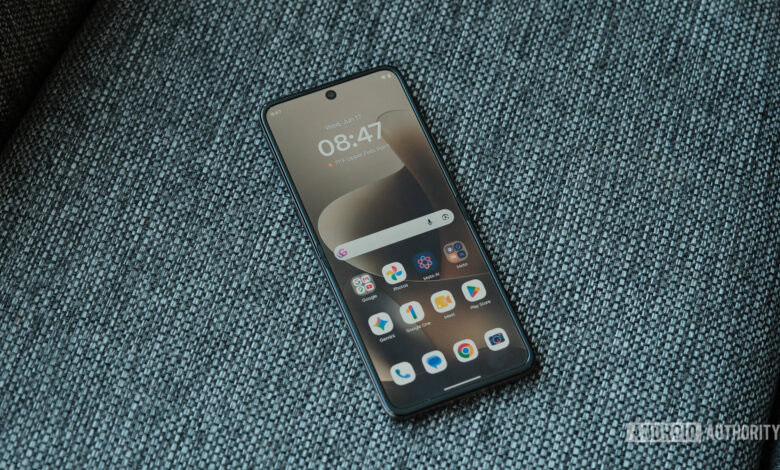
Motorola’s Hello UI: A Standout Android Experience Despite Update Criticism
Motorola has often faced criticism for its software, and rightfully so; its update practices leave much to be desired. However, set aside the update issues, and the Hello UI emerges as one of the more enjoyable Android skins on the market.
From long-standing gestures to innovative features tailored for foldable devices, Motorola offers software functionalities that many users wish were standard across all smartphones.
Popular Motorola Features
What Motorola Feature Would You Like for Your Phone?
Responses so far include:
- Camera and flashlight gestures: 45%
- Tend mode: 20%
- Manual Material You theming: 8%
- Volume button media controls: 7%
- Smart Connect: 14%
- Other: 7%
Quick Gestures
One of the well-loved aspects of Motorola devices is their gesture controls. For instance, two quick wrist twists can launch the camera, while a double karate chop activates the flashlight—no need to fumble with buttons.
Using these intuitive gestures feels so natural that transitioning back to a non-Motorola device often results in amusing attempts to replicate the same actions.
Desk Display
For users with foldable Motorola phones, the desk display feature allows for effortless access to essential information. This mode shows a large clock along with notifications and media controls, making it incredibly useful for both daily tasks and as a bedside alarm clock.
Manual Material You
Material You has been a game-changer in Android customization, allowing the UI to reflect the colors of the user’s wallpaper. Motorola enhances this by offering a color wheel and a pipette tool for even more personalized settings.
Media Controls
Music lovers will appreciate the media controls offered by Motorola devices. By adjusting the volume buttons while the screen is off, users can easily skip tracks without interruption, making for a seamless experience.
Smart Connect
Smart Connect is a feature that greatly enhances the Motorola experience, allowing users to link their devices with Windows PCs and other smartphones. It supports features like screen mirroring and acts as a secondary monitor, making it an incredible utility for productivity.
Its integration with Motorola’s AI assistant allows for voice commands that facilitate app sharing and screen displays with minimal input from the user.
A Mixed Bag
Despite the strong software experience with Hello UI that rivals competitors like Samsung’s One UI, there’s frustration surrounding slow update rollouts. Nonetheless, the overall experience and features offered by Motorola continue to impress, making it a favorite for many Android users.
As the tech landscape evolves, it’s clear that Motorola’s Hello UI not only provides a fresh user experience but also sets a bar that other manufacturers should aspire to reach.




